Open

Missing notifications when someone replies to a bug report.

Reported by steve790001
Reply
November 7, 2026 12:49 AM

Check your junk email box

Reply
November 7, 2026 8:48 AM · edited

I did, really :) There is also nothing in the junk folder.

I just changed the mail address in my account, lets see if this fixes the issue...

Reply
November 7, 2026 8:49 AM
steve790001 wrote:
I did, really :) There is also nothing in the junk folder.

Not sure what to tell ya. email provider? maybe  we need do something to get them to receive the email

Reply
November 7, 2026 8:56 AM · edited

Okay this did the trick. The old address was on outlook, the new one is gmail.

Now the notification landed in my gmail junk folder.

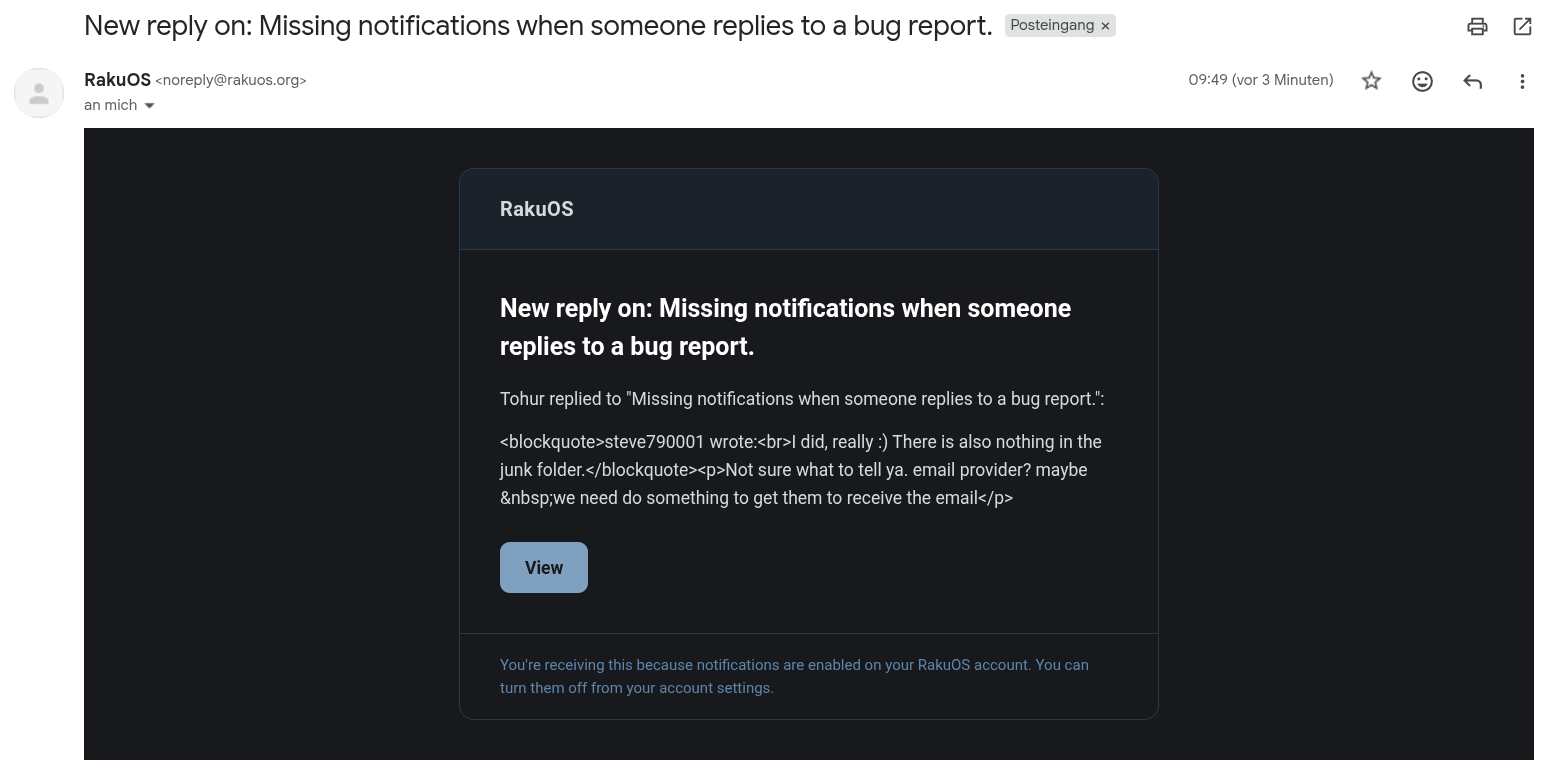
Only the formating is a bit weird:

https://boustani-public.s3.eu-central-1.amazonaws.com/tmp/Bildschirmfoto%20vom%202026-11-07%2009-53-29.png

Reply
November 7, 2026 8:57 AM
steve790001 wrote:
Okay this did the trick. The old address was on outlook, the new one is gmail.

Now the notification landed in my gmail junk folder.

Only the formating is a bit weird:

hmm will look into this

Reply
November 7, 2026 9:00 AM

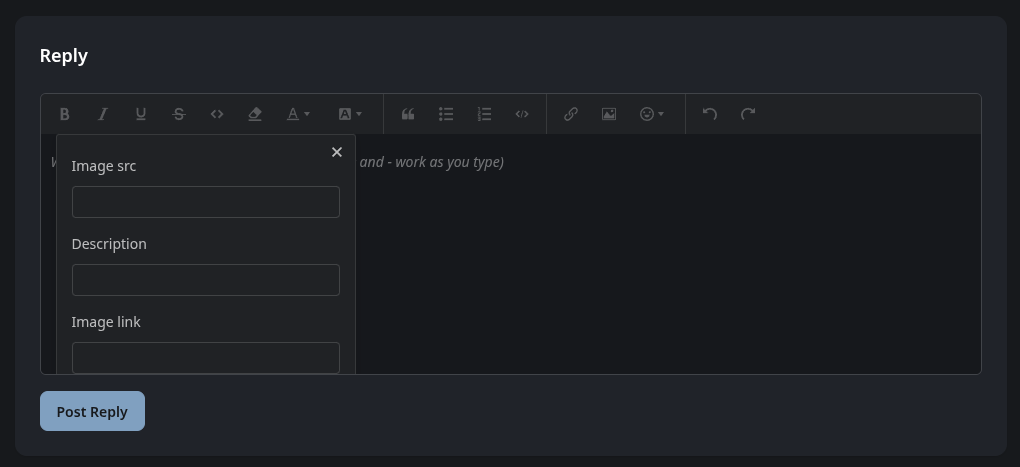
And the "OK" button is not always visible when trying to post an image using the editor:

https://boustani-public.s3.eu-central-1.amazonaws.com/tmp/Bildschirmfoto%20vom%202026-11-07%2009-58-22.png

Reply
November 7, 2026 9:01 AM
steve790001 wrote:
And the "OK" button is not always visible when trying to post an image using the editor:

I going to be swapping the editor on the frontend to something else   just haven't gotten to it yet

Reply